
ROOT Go: Make Your Business Easier to Reach with One Link
Bring your website, store, contact numbers, and social profiles together in one branded page you can update from your phone.
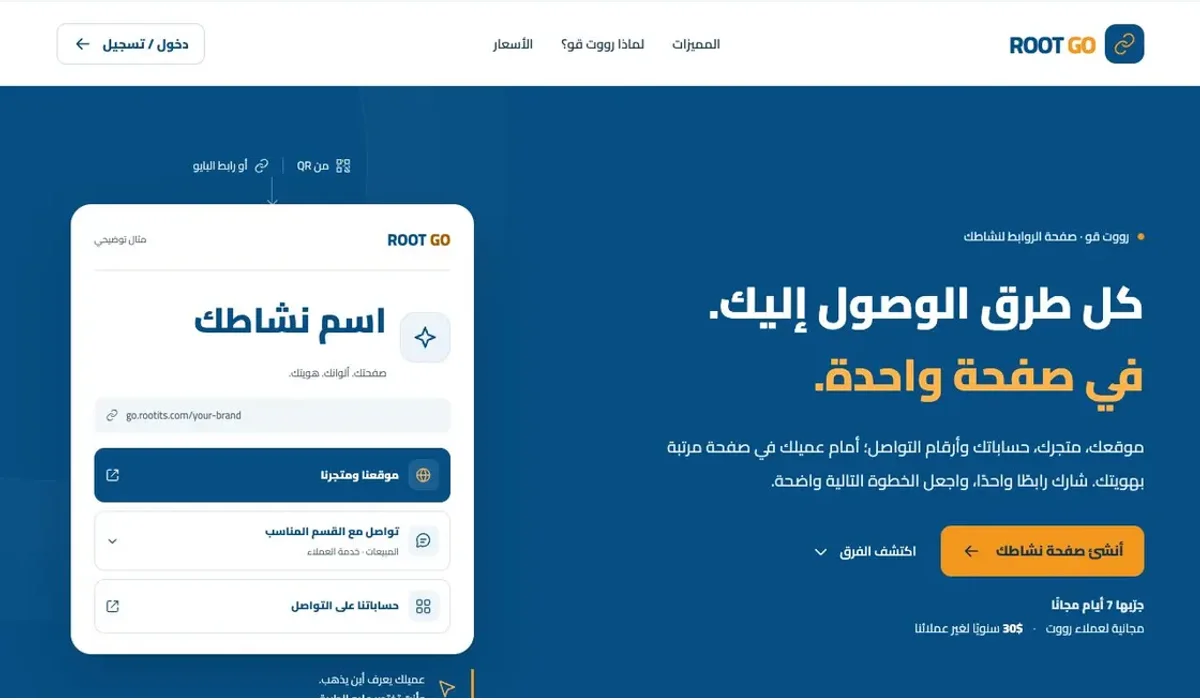
A visitor opening your profile link is often looking for one specific destination: your store, sales number, website, or another social account. ROOT Go brings these choices together in a branded page, making the next step easier to find.
A clear destination for your channels
Add your website, store, and social profiles, then arrange the buttons around your audience's needs. Highlight an important link, hide an outdated one, or schedule when a link appears. Your page directs visitors to the destination they choose.
Contact the right department
Businesses with several phone numbers can label sales, customer support, and inquiries within a contact or WhatsApp button. Visitors can choose the department they need before starting the conversation.
Update your presence from your phone
Your logo, cover, colors, and icons make the page part of your brand. Update links and information from the browser, then review visits and link clicks. Keep the same page address when changing content so your shared link and printed QR continue to point to it.
Start with the essentials
Choose the destinations customers ask for most, use clear button labels, and share your page in profiles, messages, and printed materials. Open ROOT Go from its product page to organize your business links.